





You’ve just bought your first Bitcoin or Ethereum. The price is up, the excitement is high, and you want to move those funds into a wallet where you actually control the keys. But which one? You’ve heard that software wallets are easy to use but risky, while hardware devices are safe but annoying. This tension between convenience and security defines how most people interact with crypto today.
In 2026, software wallets remain the gateway for millions of users. They let you trade, swap tokens, mint NFTs, and connect to decentralized apps instantly from your phone or browser. Yet, they also sit in the crosshairs of hackers, phishing scams, and malware. Understanding this trade-off isn’t just about picking a tool; it’s about deciding how much risk you’re willing to take with your money.
What Exactly Is a Software Wallet?
A software wallet is an application that stores your private keys digitally on a device connected to the internet. Unlike a paper wallet or a hardware device, these keys live in the memory of your smartphone, computer, or browser extension. Because they are always online, they are often called "hot wallets."
The term covers several types of applications:
- Mobile wallets: Apps installed on iOS or Android phones.
- Desktop wallets: Programs running on Windows, Mac, or Linux computers.
- Browser extensions: Plugins like MetaMask that sit inside Chrome, Firefox, or Safari.
When you send a transaction, the software signs it using your private key and broadcasts it to the blockchain. It’s fast, free, and usually offers a polished user interface. However, because the keys never leave an internet-connected device, they are exposed to threats that offline storage avoids entirely.
The Case for Convenience
If you are actively trading, playing blockchain games, or interacting with DeFi protocols, a software wallet is practically essential. Hardware wallets require you to plug in a USB device, confirm transactions on a small screen, and wait for confirmation. That friction kills speed.
With a software wallet, you can execute a trade in seconds. Imagine you see a flash sale on an NFT collection or a sudden dip in a token price. You tap your phone, approve the transaction, and you’re done. No cables, no waiting. This immediacy makes software wallets ideal for:
- Daily spending and microtransactions.
- Active day trading on decentralized exchanges like Uniswap.
- Gaming ecosystems where frequent asset transfers are needed.
- Testing new dApps without committing large amounts of capital.
Major players like Trust Wallet support over 4,500 digital assets across 65 blockchains, making them incredibly versatile. Meanwhile, Exodus offers a beautiful, beginner-friendly interface that simplifies complex swaps. For many users, this ease of access is worth the potential risks-provided they stay vigilant.
The Security Reality Check
Convenience comes at a price. In the world of cryptography, there is no such thing as a free lunch. By keeping your private keys on an internet-connected device, you open the door to several attack vectors.
Malware and Keyloggers: If your computer or phone is infected with malicious software, attackers can steal your clipboard data, record your screen, or even extract keys directly from memory. A simple copy-paste error caused by clipboard malware has drained countless accounts.
Phishing Attacks: Scammers create fake websites that look identical to legitimate ones. They trick you into connecting your wallet and signing a malicious transaction that drains your funds. Browser extensions are particularly vulnerable here, as seen in the 2023 incident where over 2 million MetaMask users were targeted via compromised extension updates.
Device Compromise: On Android, the open ecosystem allows sideloading of apps, increasing the risk of installing a malicious wallet clone. While iOS is more secure due to sandboxing, jailbroken devices or malicious app store infiltrations still pose threats.
Security firms like Kaspersky and SlowMist consistently warn that software wallets cannot protect you if the device itself is compromised. Your security depends entirely on your hygiene: strong passwords, regular updates, and skepticism toward links.
Comparing the Giants: MetaMask, Trust Wallet, and Exodus
Not all software wallets are created equal. Choosing the right one depends on your specific needs. Here is how three major options stack up in 2026.
| Wallet | Best For | Security Features | User Base |
|---|---|---|---|
| MetaMask | Ethereum & EVM chains, DeFi | Biometric lock, PIN, hardware integration | ~30 million MAU |
| Trust Wallet | Multi-chain mobile usage | Biometrics, local encryption, Web3 browser | ~60 million registered users |
| Exodus | Beginners, desktop/mobile sync | PIN, biometrics, built-in exchange | Highly rated for UI |
MetaMask dominates the Ethereum ecosystem. It’s the standard for accessing DeFi protocols and NFT marketplaces. However, its complexity can confuse beginners, and its browser extension nature makes it a prime target for phishing.
Trust Wallet, owned by Binance, excels on mobile. Its native Web3 browser lets you interact with dApps directly within the app, reducing the need to switch contexts. It supports a wider range of blockchains than most competitors.
Exodus focuses on user experience. It’s great for holding multiple coins and swapping them easily, but it lacks deep integration with advanced DeFi tools compared to MetaMask.
The Hybrid Strategy: Best of Both Worlds
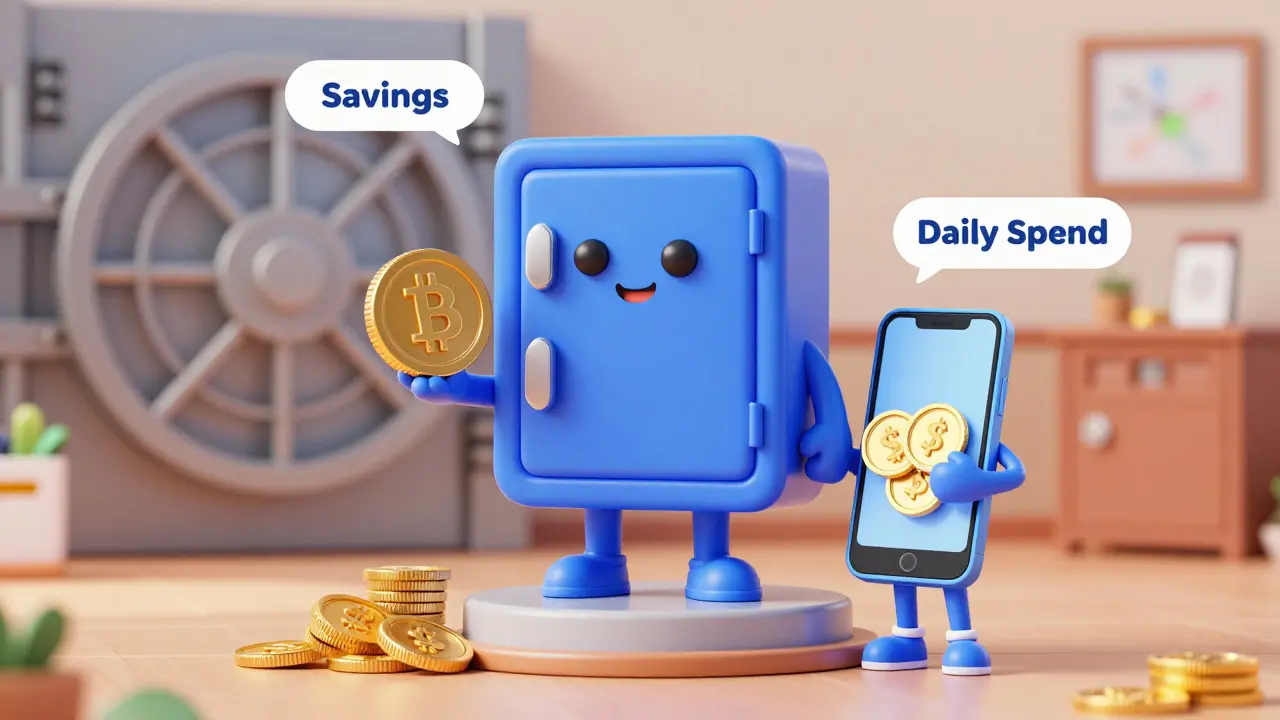
You don’t have to choose between total security and total convenience. Most experienced users adopt a hybrid approach. Think of it like banking: you keep cash in your wallet for daily purchases, but you keep your savings in a bank vault.
Step 1: Use a Software Wallet for Daily Operations
Keep only the amount you plan to spend or trade in the next few weeks in your software wallet. This minimizes exposure. If your device is hacked, the loss is limited.
Step 2: Move Long-Term Holdings to Cold Storage
Transfer larger sums to a hardware wallet like Ledger or Trezor. These devices store keys offline in secure chips, immune to remote hacking. Use them for "HODLing" assets you don’t intend to touch for months or years.
Step 3: Enable All Available Security Layers
On your software wallet, enable biometric authentication (FaceID/Fingerprint), set a strong PIN, and use multi-factor authentication where possible. Never store your seed phrase digitally. Write it down on paper and keep it in a fireproof safe.
This strategy balances the need for speed with the necessity of protection. It acknowledges that software wallets are tools for activity, not fortresses for wealth preservation.
Future Trends: What’s Coming in 2026 and Beyond?
The gap between convenience and security is narrowing thanks to new technologies. Account abstraction on Ethereum allows for social recovery, meaning you can regain access to your wallet through trusted contacts instead of relying solely on a seed phrase. This reduces the risk of permanent loss due to forgotten passwords.
Additionally, zero-knowledge proofs are being integrated to enhance privacy, ensuring that your transaction history remains confidential even on public blockchains. AI-driven threat detection is also emerging, helping wallets identify suspicious contract interactions before you sign them.
However, experts warn that fundamental risks remain. As long as a wallet is connected to the internet, it is vulnerable. Technological improvements mitigate risk but do not eliminate it. The responsibility ultimately lies with the user to practice good security hygiene.
Are software wallets safe for storing large amounts of crypto?
No. Software wallets are considered "hot wallets" and are constantly connected to the internet, making them susceptible to malware, phishing, and hacking. For large holdings, always use a hardware wallet or cold storage solution.
Which software wallet is best for beginners?
Exodus and Trust Wallet are excellent choices for beginners due to their intuitive interfaces and multi-coin support. MetaMask is powerful but better suited for users comfortable with Ethereum-based DeFi and NFTs.
Can I recover my software wallet if I lose my device?
Yes, provided you have your 12-24 word seed phrase. This phrase is the master key to your wallet. Store it securely offline. Never share it with anyone or save it digitally.
How do I protect my software wallet from phishing?
Always double-check URLs, avoid clicking links from unsolicited messages, and verify contract addresses before signing transactions. Use reputable browser extensions and keep your software updated to patch known vulnerabilities.
Is it better to use a mobile app or a browser extension?
It depends on your usage. Mobile apps like Trust Wallet are convenient for on-the-go transactions and support a wide range of blockchains. Browser extensions like MetaMask are superior for interacting with complex DeFi protocols on desktop computers.


Write a comment